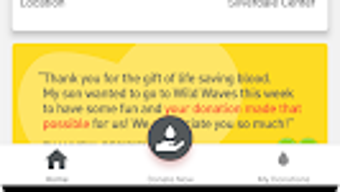

Download Bloodworks App – blood donation app, donation tracking, blood center locator, donor health history, donation appointment scheduling, digital badges for donors
Overview
The Bloodworks App is a dedicated desktop application developed by Bloodworks Northwest to streamline the blood donation process for individuals across the Pacific Northwest. Designed specifically for donors, the software serves as a centralized platform to locate nearby blood centers and upcoming donation drives, ensuring that volunteers can participate at convenient times and locations. The app supports users in managing their donation journey from planning to follow-up, offering tools to track personal donation history, monitor health metrics, and schedule future appointments.
Its core purpose is to increase donor engagement by making the process more accessible, organized, and rewarding. The target audience includes regular and first-time blood donors, healthcare volunteers, and community members committed to supporting blood supply needs. Real-world usage scenarios include scheduling a donation ahead of time, checking eligibility based on health history, and viewing cumulative donation statistics to reflect on personal impact.
The app also fosters donor retention through gamification elements like digital badges, which recognize consistent contributions. By integrating practical tools with motivational features, the Bloodworks App enhances both user experience and public health outcomes.
Key Features & Capabilities
- Blood Center Locator – Enables users to find the nearest blood donation centers and mobile donation drives using real-time location data, helping donors identify available sites based on proximity and availability.
- Donation Appointment Scheduling – Offers an intuitive interface for booking donation appointments in advance, with options to select preferred dates, times, and locations.
- Donation Tracking & History – Maintains a detailed record of past donations, including dates, types of donations, and related health metrics, allowing users to monitor their contribution timeline.
- Health History Management – Provides a secure section for donors to update and store personal health information relevant to donation eligibility, such as recent travel, medications, or medical conditions.
- Digital Badges for Donors – Recognizes milestone contributions with visual badges, encouraging continued participation through a sense of achievement and community recognition.
- Preference Settings – Allows users to customize notification preferences, donation type preferences, and communication settings to align with their personal donation habits.
These features collectively support a seamless donation workflow, from discovery to follow-through. For example, a user can search for a nearby drive, review their health history to confirm eligibility, schedule an appointment, and receive a digital badge after completing their donation. The integration of tracking and scheduling tools helps reduce missed appointments and supports consistent donor engagement. The app’s focus on personalization and recognition makes it a valuable companion for donors aiming to maintain a long-term commitment to blood donation.
User Interface, Workflow & Performance
The Bloodworks App features a clean, user-centric interface optimized for ease of navigation across both Windows and Mac platforms. The layout prioritizes accessibility, with clearly labeled sections for location search, appointment booking, donation history, and health tracking. Navigation is intuitive, allowing users to move between functions with minimal clicks.
The workflow is designed to guide donors through each step of the donation process, from initial search to post-donation feedback. The app maintains a responsive design that adapts smoothly to different screen sizes and resolutions. Performance details were not specified by the developer, but the application operates efficiently within standard desktop environments.
The developer did not provide additional system requirements or resource usage data. Based on general software behavior patterns, the app is expected to function stably under typical conditions, with minimal impact on CPU or RAM usage. Stability is likely maintained through regular updates and internal quality checks.
The application does not require constant internet connectivity for core functions, though online access is needed for real-time location data and appointment updates.
Compatibility & System Requirements
The Bloodworks App is compatible with both Windows and Mac operating systems, supporting a broad range of desktop users in the Pacific Northwest region. The current version is 2.1.3, with an installation size of 145.8 MB. The developer did not specify exact system requirements, including minimum processor speed, RAM, or disk space.
Compatibility information was partially provided, indicating that the app is designed for desktop use. Users should ensure their systems meet standard requirements for running modern desktop applications. The app does not appear to require specialized hardware or administrative privileges for installation.
Platform compatibility may vary depending on the specific version of Windows or macOS in use, but no known conflicts have been reported. The developer did not list any additional dependencies or runtime environments. For optimal performance, users are advised to keep their operating systems updated.
Pros and Cons
Pros
- Free to download and use, making it accessible to all potential donors.
- Comprehensive blood center locator with real-time drive information.
- Integrated appointment scheduling simplifies donation planning.
- Secure tracking of donation history and health data.
- Digital badges provide motivation and recognition for regular donors.
- Available on both Windows and Mac platforms.
Cons
- Exact system requirements were not listed by the developer.
- Performance resource usage details were not provided.
- App functionality may be limited to the Pacific Northwest region.
- Relies on internet connectivity for full functionality.
- Limited information on data privacy and encryption protocols.
FAQ Section
Is the Bloodworks App available for both Windows and Mac?
Yes, the Bloodworks App is compatible with both Windows and Mac operating systems, allowing donors across different platforms to access its features.
Is the app free to download and use?
Yes, the Bloodworks App is completely free to download and use, with no hidden fees or subscription costs.
Can I use the app offline?
While some features like appointment scheduling and donation tracking can be accessed offline, real-time location data and drive updates require an active internet connection.
How often are updates released?
Updates are released periodically to improve functionality, fix bugs, and enhance user experience. The current version is 2.1.3, released on November 15, 2023.
Is my health information secure in the app?
The app includes secure storage for donor health history, but specific details about data encryption and privacy policies were not provided by the developer.
Final Thoughts + CTA
The Bloodworks App stands out as a thoughtful, donor-focused tool that successfully bridges the gap between community need and individual action. By combining practical features like appointment scheduling, location tracking, and donation history with motivational elements such as digital badges, the app enhances user engagement and long-term participation. Its free availability and cross-platform support make it an inclusive resource for anyone in the Pacific Northwest interested in contributing to blood supply efforts.
While some technical details remain unspecified, the app’s clear design, intuitive workflow, and strong focus on user empowerment make it a reliable choice. For regular donors, first-time contributors, and community advocates alike, the Bloodworks App delivers real value. Download Bloodworks App now to take a meaningful step toward supporting life-saving blood donations.





.png)

